If you have an access code, kindly refer to below:
Step 1: Accessing the Resource
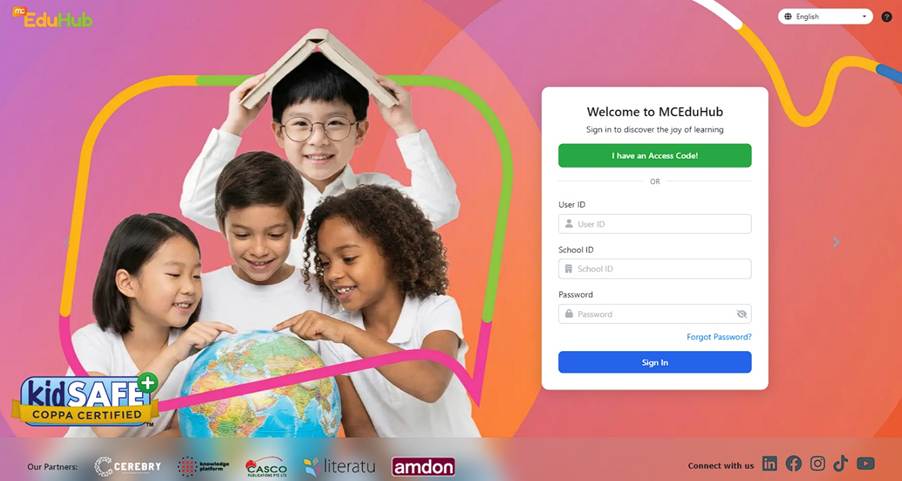
Visit MCEduHub Website
Step 2: Entering the Access Code
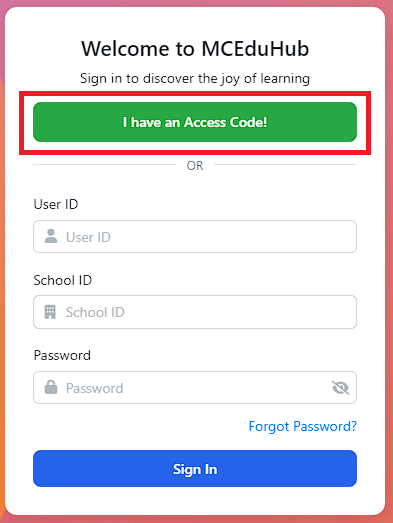
Click on "I have a Access Code" and enter the Access Codes provided above.
Step 3: Complete Registration Process
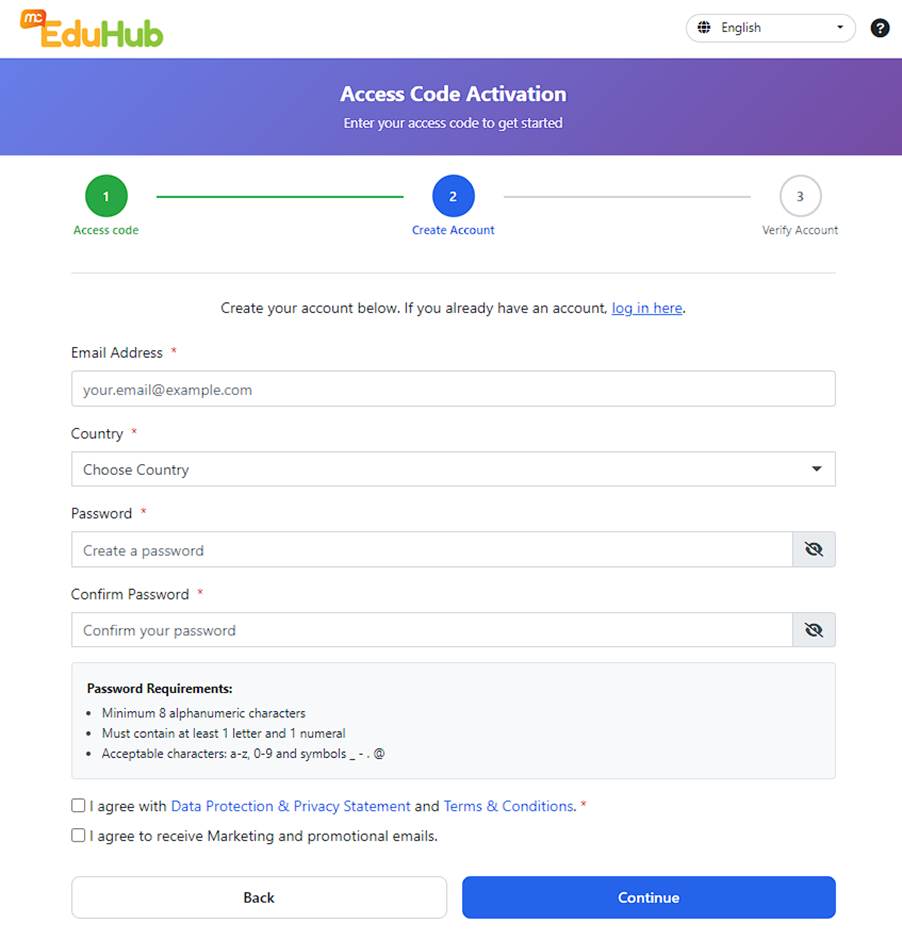
After you have entered the access code, you will be redirected to a "Create account" page. Complete the registration page and click on 'Continue.
Step 4: Verify Account
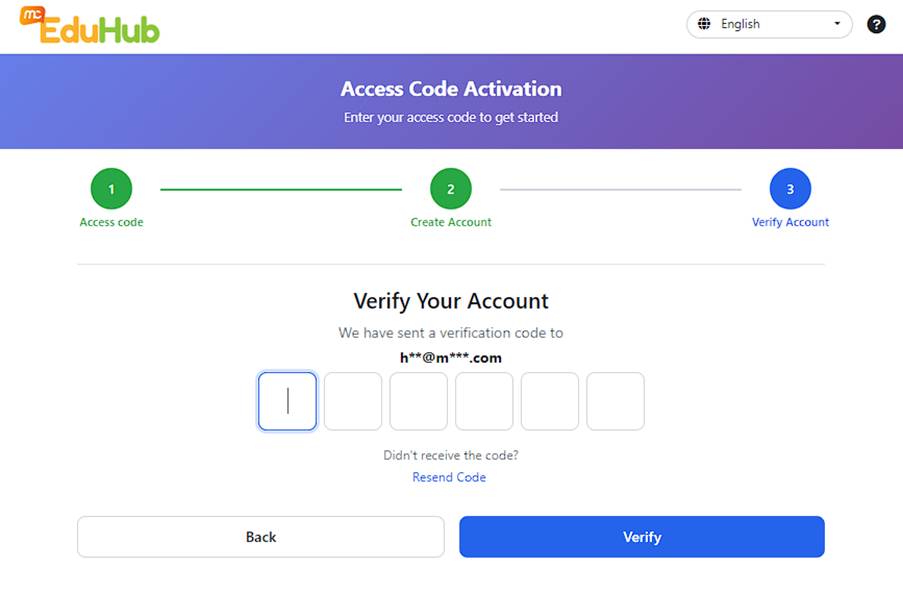
- Upon completing Step 3, a verification code will be sent to your email address. Please enter the verification code to proceed. Click on 'Verify'.
Step 5: Notification of Self-Registration
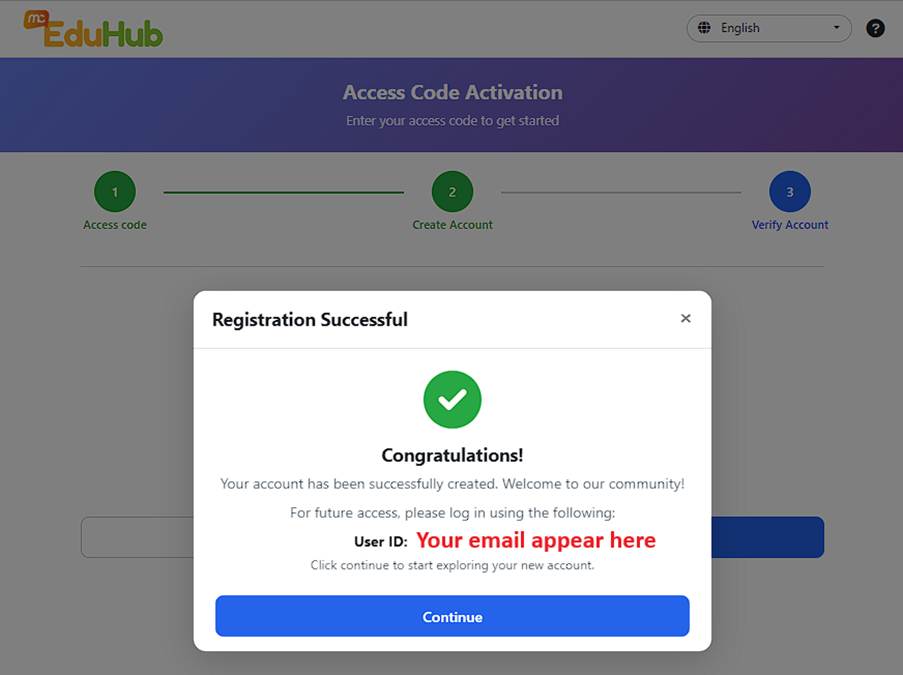
- Upon completion of Step 4, a pop-up will indicate you have completed the self-registration process. Click on 'Continue'.
- We strongly suggest you take a photo or a snapshot of this pop-up
Step 6: Accessing your digital book
- Upon completion of Step 5, you will find your digital book under 'Library'.
Was this article helpful?
That’s Great!
Thank you for your feedback
Sorry! We couldn't be helpful
Thank you for your feedback
Feedback sent
We appreciate your effort and will try to fix the article